
For travel agents
Digital Visiting Card for Travel Agencies
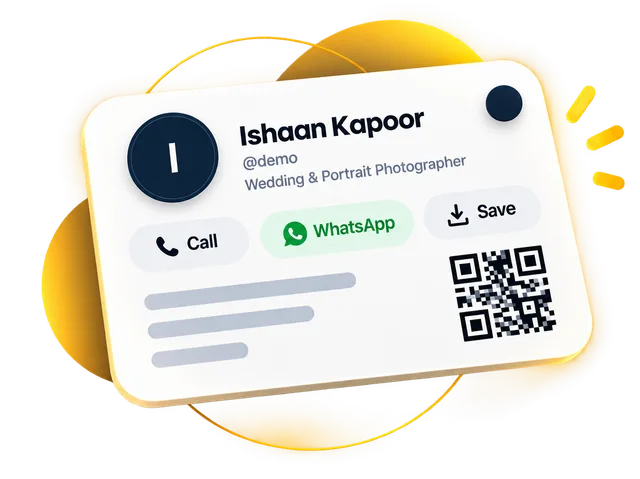
Quick answer: A digital visiting card for travel agencies is one link with your agency name, office address, packages with prices, photos from past trips and buttons to call, WhatsApp or save your number. Travellers open it from the link you send after the first enquiry, or by scanning your QR, and every enquiry from the card lands in your Leads list.
Start free for 30 days, no payment details. Your link and QR stay the same when you upgrade.
Updated · By the DigitalCarda team
Sample card · fictional details
WTWanderlust Trips
Holidays & tour packages
Wanderlust Trips
CallWhatsAppSaveDirections
About
Holidays & tour packages · Wanderlust Trips
Services
Domestic tours
International holidays
Group trips
Gallery
Send an enquiry
Your namePhone number Send enquiryScan to saveWanderlust Trips Share
Follow
Paper vs digital
What changes for travel agents
Paper card
Your Goa package lives in a dozen forwarded images, and the price on half of them is old.
Digital card
List packages as services with prices: a photo, MRP, offer price and a WhatsApp button on each. Edit a price once, everywhere.
Services with pricesPaper card
Enquiries pour in on WhatsApp all evening, and the ones to call back are gone by morning.
Digital card
Enquiries from your card land in your Leads list, where you mark the stage, add a note and set a follow-up date.
Leads pipelinePaper card
An early-bird discount on your flyer is still being forwarded after the date has passed.
Digital card
Post an offer with a "valid till" date. It drops off your card by itself when it expires.
Offers with end datesChecklist
What to put on a visiting card for travel agents
Each item names the part of the card it lives on.
- Profile
Tours, tickets, taxi or all three. A traveller should know in one line whether you can help, and whom they spoke to.
- Buttons
Travel enquiries come at night and on holidays. Put the number you actually answer on the WhatsApp and Call buttons.
- Buttons
Near the bus stand or the station: travellers tap it for directions when they come to pay or collect tickets.
- About
Kerala, Goa, Char Dham, honeymoons or group trips. Write them in About, in the language your customers read.
- Services
A photo, MRP and offer price for each package, with a WhatsApp button so travellers ask about the exact one they saw.
- Gallery
Real photos of your groups, the hotel and the bus, taken with permission, do more than a stock picture of a beach.
- Enquiry form
Travellers send their name, number and requirement; ask them to write the dates and the number of people.
- QR code
Anyone who scans it opens your card, sees the packages and saves your number in one tap.
From hello to saved
How a traveller reaches you
What happens after you share your card.
Sample card · fictional details
You send your link. After the first enquiry, share your card link in the WhatsApp chat.
It opens with a preview. The link shows your name and opens your card.
They tap WhatsApp. A service button opens a chat with "Domestic tours" already typed.
You see what they tapped. Analytics shows opens, WhatsApp taps and where visitors came from.
Features that matter
What your card does for travel agents
| What you need | How your card does it | Plan |
|---|---|---|
| Package prices travellers can see themselves | Services with prices List packages with photos, MRP and offer price, and a WhatsApp button on each, so a traveller asks about the exact package they saw. | All plans |
| Early-bird deals that end on a date | Offers with end dates Post an offer with a "valid till" date. It drops off your card by itself when it expires. | All plans |
| "Is this package available for my dates?" | WhatsApp chat One tap opens a WhatsApp chat with you. A package button can open it with the package name already typed in. | All plans |
| Travel dates and headcount in writing | Enquiry form Travellers send their name, number, email and requirement from your card; those who leave an email get an automatic reply. | All plans |
| Photos from past trips | Photo gallery Show your groups' photos in a gallery that opens full screen: 20 photos on Gold, 60 on Platinum. | All plans |
| Following up before the season fills | Leads pipeline Every enquiry lands in your Leads list. Mark its stage, add notes, set a follow-up date and reply by call or WhatsApp. | All plans |
Designs
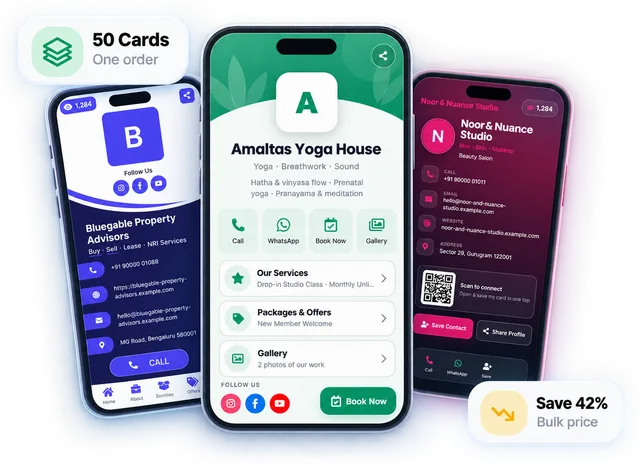
Designs shown with sample details for travel agents
Every design works for any business. Open a live demo, then start free on the one you like.
Share it everywhere
One link, handed over any way you like
A QR code, an NFC tap, a WhatsApp message or your email signature — change your details once and every copy is up to date.
Start free for 30 days, no payment details. Then Gold from ₹99/month or ₹999/year, or Platinum from ₹199/month or ₹1,999/year. Your link and QR stay the same when you upgrade.
FAQ
Questions travel agents ask
What should I write on a tour and travels visiting card?
Write your agency name, what you handle, such as holiday packages, tickets or taxi hire, the WhatsApp number you reply from, your office address and the destinations you cover. A digital card also carries your packages with prices, photos from past trips, offers with an end date and an enquiry form, which a printed card cannot.
Can I share tour packages from my card?
Yes. Add each package as a service with a photo, the MRP and the offer price, and a WhatsApp button that opens a chat with the package name already typed in. Edit a price once and every traveller who opens the link sees the new one. The card does not hold a day-wise itinerary file, so send that in the chat when a traveller asks.
Can I show offers that expire on a date?
Yes. Post an offer, such as an early-bird price for a December group trip, with a "valid till" date. It drops off your card by itself when it expires, so nobody quotes an old price from a forwarded flyer. Add a new offer whenever the next season opens.
Can I write my card in Hindi or Marathi?
Yes. Write your name, About text, packages and offers in any language; only the buttons, such as Call and WhatsApp, stay in English. There is no button that changes the language on one card, so write in the language most of your customers read. On Platinum you can run up to 3 cards from one login, each with its own link and QR, if you want a Marathi card and an English one.
Can travellers book or pay for a package on the card?
No. The card does not take bookings or payments. A traveller taps WhatsApp or fills the enquiry form with their dates and the number of people, and you confirm seats and collect payment the way you do today. You can show your payment QR and your Paytm, PhonePe or Google Pay number on the card, and the money goes straight to you.
How much does a digital visiting card for a travel agency cost?
Free for 30 days with no payment details, which covers a season of enquiries before you pay. After that, Gold is ₹99 a month or ₹999 a year with a 20-photo gallery, and Platinum is ₹199 a month or ₹1,999 a year with 60 photos and 25 videos, room for a gallery and a reel from each package. Your link and QR stay the same when you upgrade, so the QR on your office door keeps working.
Read next
All guides Guides for travel agents

Link in Bio vs Digital Business Card: Which Does Your Business Actually Need?
Link in bio vs digital business card: both are one link with buttons, but one is built for followers and the other for customers. Here's how to choose.
5 min read · 19 June 2026
Getting started
How to Make a Digital Visiting Card Online in 10 Minutes (Step by Step)
How to make a digital visiting card online: keep a few details ready, follow six simple steps, and your card can be live in about ten minutes.
7 min read · 16 Sept 2026

QR Code Business Cards and vCards: How to Let People Save Your Number in One Tap
A QR code business card can hold your details inside the code (vCard QR) or open your digital card (link QR). Here's how they differ, which one to print, and how to make saving your number effortless.
6 min read · 26 July 2026
More professions
All industries Related professions
Event Planners, Decorators & Caterers
Past events as photos and reels, packages with prices, WhatsApp and an enquiry form. Every lead in one list.
Restaurants & Cafes
Menu photos, today's specials, directions, WhatsApp for takeaway and a Google review button at the counter.
Car Dealers & Automobile Shops
Cars with photos and prices, WhatsApp for test drives, directions and an enquiry form, from your showroom QR.
30-day free trial
Your digital visiting card, live today
Start free for 30 days, no payment details.
Your link and QR stay the same when you upgrade.