Google Review Link Generator & QR Code
Paste a share.google or Google Maps link, a Place ID or just your business name. Get the best review link it allows — told plainly — with a QR code and a poster to print.
Paste what you have
- share.google linkshare.google/…
- Google Maps linkmaps.app.goo.gl/… · google.com/maps/place/…
- Business Profile linkg.page/r/…/review
- Review form linksearch.google.com/local/writereview?placeid=…
- Place IDChIJ…
- Business name and citySharma Sweets, Indore
How it works
- 1
Paste what you have
Any Google link for your business, its Place ID, or just the name and city.
- 2
See what the link opens
The review box, or your business on Google — said plainly, with the way to the better link.
- 3
Download or print
Save the QR code as PNG or SVG, or print a “Review us on Google” poster for the counter.
What each kind of link does
Not every “review link” opens the review box. Checked on a phone in October 2026:
g.page/r/…/review, or writereview?placeid=…
Best. One scan and the customer is choosing stars.
share.google, Maps links, a place on Maps
Good. The customer taps “Write a review” on your page.
Just the business name and city
Use it until you have a better link. Check it finds you first.
writereview with no placeid=…
Replace it. Google answers “Error 400”.
Get the link that opens the review box — about 30 seconds
- 1Signed in to the Google account that manages the business, search Google for its name — the Business Profile opens with buttons for owners.
- 2Choose “Ask for reviews” (some screens say “Get more reviews”).
- 3Copy the link — it looks like g.page/r/…/review — and paste it here.
Only an owner or manager of the Business Profile can copy it. Not you? Ask whoever manages it to send it.
Google review link questions
What is a Google review link?
A link that opens the box where a customer rates and reviews your business on Google. The official one comes from your Google Business Profile: choose “Ask for reviews” and copy the link. It looks like g.page/r/…/review.
Can I make a review link from a share.google link?
Partly. A share.google link opens your business on Google, where customers tap “Write a review” — one extra tap. It doesn't carry your Place ID, so no tool can turn it into the review box itself. For that, copy the official link from your Business Profile in about 30 seconds.
Why does my Google review link open an error page?
A search.google.com/local/writereview link without “placeid=” opens Google's “Error 400” page. Paste your Google Maps link here to get a working link, or copy the official one from your Business Profile.
Do the QR code and the poster expire?
No. The QR code holds your Google link itself — nothing passes through DigitalCarda — so it works for as long as that link does.
Is it free, and do you keep my link?
It's free, with no sign-up. Links are read in your browser. A short link (share.google, maps.app.goo.gl or goo.gl/maps) is opened once by our server only to see where it leads; that answer is kept for a day so the same link isn't looked up again, and nothing about you is stored.
Is this an official Google tool?
No. DigitalCarda isn't part of Google or endorsed by it. The tool builds links in the forms Google itself uses and tells you which kind you get.
Can I offer a discount for a Google review?
No. Google's policies don't allow discounts, gifts or any other reward for reviews, and reviews gained that way can be removed. Ask every customer, not only the happy ones.
More on asking for reviews: Google review QR code guide
One QR for calls, WhatsApp, payments — and reviews
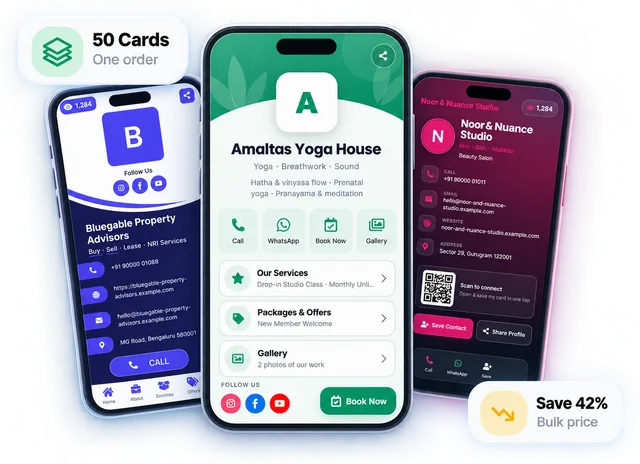
A DigitalCarda card shows your Google rating and a Write a Review button next to your contact details, and makes its own QR code and standee. If the review link saved on it is one that opens Google's error page, the button uses your map link instead.
30-day free trial · no card details · the tools on this page stay free
Google, Google Maps and Google Business Profile are trademarks of Google LLC. DigitalCarda is not affiliated with Google.