QR Code Business Cards and vCards: How to Let People Save Your Number in One Tap
A QR code business card can hold your details inside the code (vCard QR) or open your digital card (link QR). Here's how they differ, which one to print, and how to make saving your number effortless.
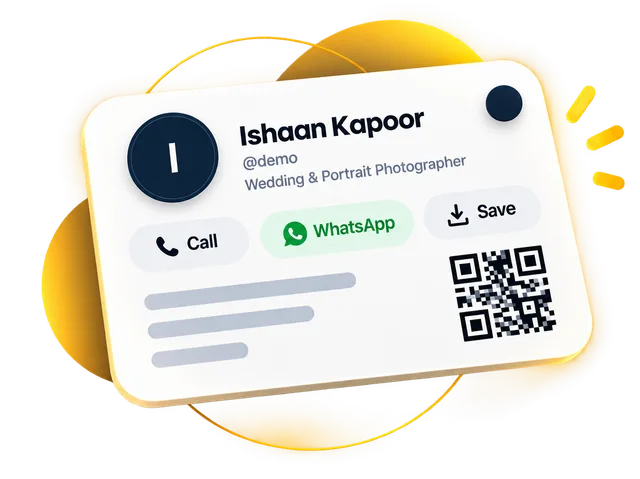
A QR code business card is a visiting card with a QR code people scan to get your contact details. There are two kinds: a vCard QR code, which stores your details inside the code and can't be changed, and a link QR code, which opens a digital card with a Save Contact button you can update any time.
Choosing the wrong kind means reprinting cards the next time your number changes. This guide explains what a vCard file is, how the two QR codes compare, and how to make a QR code for your visiting card so the person scanning ends up with your details properly saved — not a screenshot they'll never look at again.
What is a vCard file?
A vCard is a small, standard file format (opens in a new tab) for contact details — name, company, job title, phone numbers, email, website and address. The file usually ends in .vcf. Android phones, iPhones, Gmail and Outlook all understand it.
When you open a vCard on a phone, it offers to add the contact, with everything in the right field. No typing, and no "Ramesh Plumber New" in someone's phonebook.
vCard QR code vs link QR code: which should your business card use?
vCard QR (details inside)
Link QR (opens your card)
What's stored
Your contact details, encoded directly
A short web link
What the scanner sees
An option to save the contact
Your full digital card with a Save Contact button
Change your number later?
No — you must make and print a new code
Yes — edit your card, the code keeps working
Works without internet?
Yes
Needs mobile data or Wi-Fi to open
Can show more?
No — contact details only
Photos, services, WhatsApp, payments, reviews
Code size
Gets dense with more details, harder to scan
Stays simple and easy to scan
What happens when someone scans each type
If you only need a quick QR code for contact details on a one-off event badge, a vCard QR is fine. For anything you'll print in bulk or use for years, a link QR is almost always the better choice.
The best setup: a link QR that saves a vCard
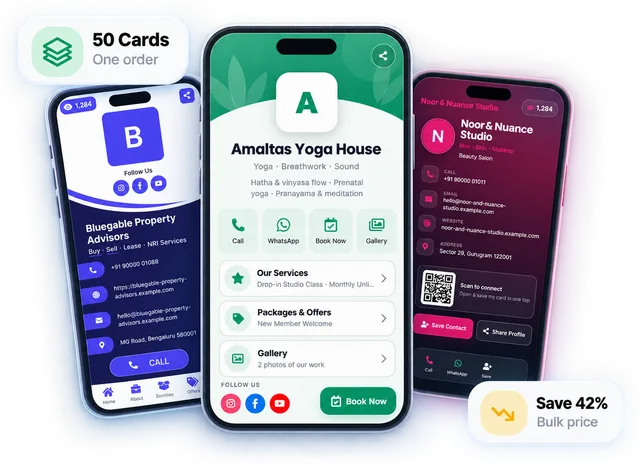
You don't actually have to choose. A digital visiting card gives you a link QR code, and the card itself has a Save Contact button that downloads a proper vCard to the visitor's phone.
1
They scan your QR
Your card opens in their browser — no app needed.
2
They see who you are
Photo, what you do, services, and buttons to call or WhatsApp you.
3
They tap Save Contact
Their phone offers to add you as a contact, with every field filled in correctly.
4
You stay editable
Change your number next year, and the same printed QR code still saves the new one.
How to print a QR code on your visiting card so it scans every time
Keep it at least 2 cm × 2 cm on a visiting card, and much larger on posters or standees
Avoid glossy lamination over the code if you can; glare stops scans
Add a short line beside it: "Scan to save my contact"
Test the printed proof with two or three different phones before the full print run
Where else your QR code earns its keep
Once you have one QR code that opens your card, use it everywhere: shop counters, product packaging, invoices, delivery bags, exhibition banners and restaurant tables. Add your Google review link to the card and the same code collects reviews too.
For counters and meetings, pair it with an NFC tap — our NFC business card guide explains how.
Frequently asked questions
What is a vCard QR code?
A vCard QR code is a QR code that stores your contact details directly inside the code. Scanning it offers to save the contact, even without internet, but the details can't be changed once the code is printed.
Which is better for a business card: a vCard QR or a link QR?
A link QR code is usually better for a business card. It opens your digital card with a Save Contact button, and you can update your number or other details later without reprinting the code.
What is a vCard (.vcf) file?
A vCard (.vcf) file is a standard contact file that Android phones, iPhones, Gmail and Outlook can open to add a contact with every field filled in.
How do I make a QR code for my visiting card?
To make a QR code for your visiting card, create a digital card and place the QR code it gives you on your card design at 2 cm × 2 cm or larger. Every DigitalCarda card includes its own QR code and Save Contact button, free for 30 days.
Is there a free vCard QR code generator?
Yes, many free online generators make vCard QR codes. A true vCard QR stores your details in the code itself, so it doesn't expire, but it can't be edited. If a free generator gives you a short link instead, check that the link won't stop working after a trial.
How big should a QR code be on a visiting card?
A QR code on a visiting card should be at least about 2 cm × 2 cm. Print it dark on a light background, leave clear empty space around it, and test the printed proof on two or three phones.
A Google review QR code cuts leaving a review down to one scan. Here's how to create one free, where to place it, what to say and which rules to follow.