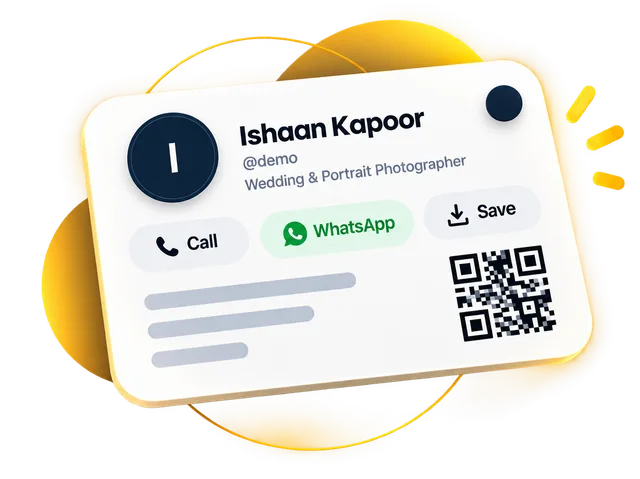
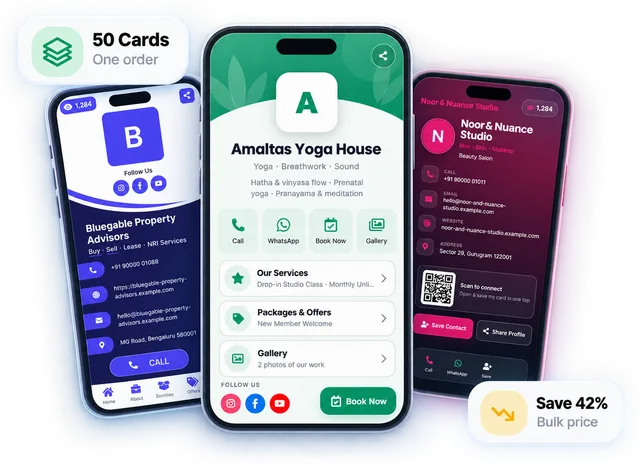
To make a digital visiting card, sign up on an online card maker, pick a template, add your name, photo or logo, phone, WhatsApp and services, choose a short link, preview it on your phone and publish. You then share the link or its QR code. With your details ready, it takes about ten minutes.
You don't need a designer or design software. The real work is preparation, so this guide covers what to keep ready, the exact steps, what to write and where to share your card so people actually save it.
Before you start: keep these ready
A few minutes of preparation saves a lot of going back and forth. Open your notes app and gather:
Your logo, or a clear, well-lit photo of yourself (square photos work best)
One line that says what you do — "Interior designer for homes and offices in Pune" beats "Creative solutions"
The phone number people should call, and your WhatsApp number if it's different
Your business address and Google Maps link, if customers visit you
Your top services or products, with prices if you share them
How to make your digital visiting card, step by step
You can do every step on your phone or on a computer.
1
Create your account
Sign up with your email or Google account. On DigitalCarda the first 30 days are free and you don't enter any payment details.
2
Pick a design
Browse the card templates and open a live demo on your phone before you choose. Pick the one that feels like your business — calm and clean for a clinic, bold for a gym. If you can't decide, these twelve design ideas for visiting cards will help.
3
Add your details
Name, photo or logo, the one-liner, phone, WhatsApp and email. These fill the top of the card, which is all many people will see.
4
Add what makes people act
Services or products, your address and map, UPI details, a Google review button and an enquiry form. Turn off any section you don't need.
5
Choose your link
Pick a short, readable link based on your name or business name, such as sharma-interiors. You'll say it out loud and print it, so avoid numbers and odd spellings.
6
Preview on your phone, then publish
Open it the way a customer would. Tap every button. Check your number twice. Then publish and share it.
Can you make a digital visiting card online for free?
Yes, usually through a free trial or a limited free plan. A PDF or image card made in a design app is also free, but copies you've already sent won't update when your details change, and you can't see who opened them.
On DigitalCarda the first 30 days are free with no payment details. After that, Gold is ₹99 a month or ₹999 a year, and Platinum is ₹199 a month or ₹1,999 a year.
Write it for a phone screen, not a brochure
Most people will open your card on a phone, often while doing something else. That changes how you should write.
Lead with the benefit. "Same-day AC repair across Gurugram" tells a customer more than "Welcome to our company".
Keep service names short. "Bridal makeup — from ₹15,000" is scannable. A paragraph isn't.
Show prices where you can. A customer who already knows you fit their budget has one less reason to hesitate before messaging you.
Pick one main action. If you mostly get work on WhatsApp, make that button the most obvious one.
The best card isn't the one with the most information. It's the one where a stranger knows what you do and how to reach you in five seconds.
How to use and share your digital visiting card
A card nobody sees does nothing. If you're wondering whether it should replace your Instagram bio link, we compare link-in-bio pages and digital cards. Either way, put your link in the places people already find you:
Use it as your bio link so followers can call, save or pay you.
Shop or clinic counter
Print the QR code, or use an NFC standee (₹1,499) customers can tap.
Meetings and events
Show the QR on your phone, or hand over an NFC PVC card (₹499).
After it's live: keep it working for you
Check your card's views and button taps after the first couple of weeks. If lots of people open it but few tap anything, the top of your card probably isn't clear enough. If they tap WhatsApp more than Call, move WhatsApp up.
Update it whenever something changes — a new service, festive offer or new branch. That's the real advantage over paper, so use it.
Frequently asked questions
How long does it take to make a digital visiting card?
Making a digital visiting card takes about ten minutes if you have your logo or photo, a one-line description, contact numbers and a list of services ready before you start.
Can I make a digital visiting card on my phone?
Yes, you can make a digital visiting card entirely on your phone. Choosing a design, adding details and publishing all work in a phone browser, which is also the best place to preview it.
How can I make a digital visiting card online for free?
You can make a digital visiting card free with an online card maker's free trial or free plan. DigitalCarda is free for 30 days with no payment details, then Gold costs ₹99 a month or ₹999 a year.
How do I create a digital business card with a QR code?
Create your card with an online card maker and it gets a link plus a QR code that opens it. On DigitalCarda you can show that QR code on your phone or print it, and scanning it opens your card with Call, WhatsApp and Save Contact buttons.
Do I need design skills to make a digital visiting card?
No, you don't need design skills. You start from a ready-made template and fill in your details, and the design, fonts and layout are already done.
Will my QR code change if I edit my card?
No, editing your card does not change its QR code. The QR code points to your card link, which stays the same when you edit your details, so printed QR codes keep working.
A digital visiting card is your visiting card as a link people can open, save and share. How it works, what belongs on it, and when paper still makes sense.
Good visiting card design isn't about fancy fonts. It's about a stranger knowing who you are and how to reach you in five seconds. Twelve ideas that make that happen.
A QR code business card can hold your details inside the code (vCard QR) or open your digital card (link QR). Here's how they differ, which one to print, and how to make saving your number effortless.