What Is a Digital Visiting Card? A Plain-English Guide for Indian Businesses
A digital visiting card is your visiting card as a link people can open, save and share. How it works, what belongs on it, and when paper still makes sense.
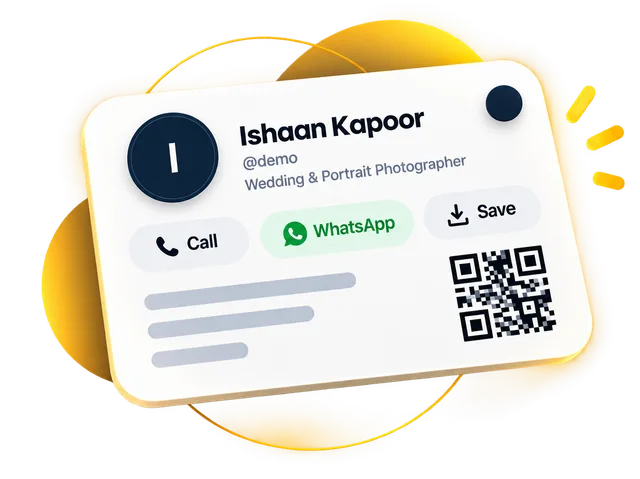
A digital visiting card is a mobile-friendly web page that holds your name, photo or logo, contact details and one-tap buttons to call you, message you on WhatsApp or save your number. You share it as a link, a QR code or an NFC tap, and it opens in any phone's browser without an app.
Think about the last paper visiting card someone gave you. It is probably in a wallet or a drawer, and the details never made it into your phone. Digital cards close that gap. This guide explains how they work, what to put on one, what they cost and when paper still makes sense.
What exactly is a digital visiting card?
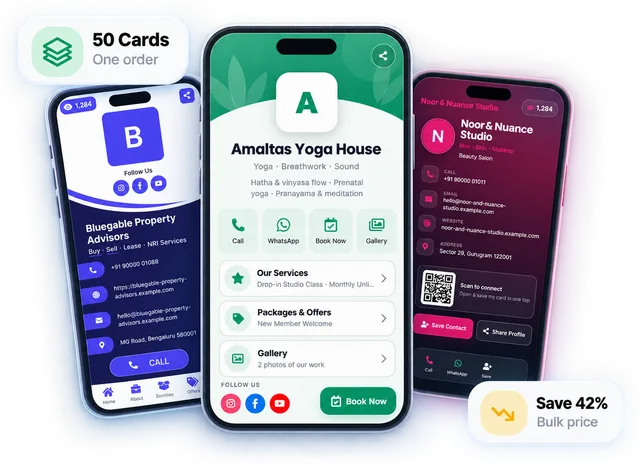
A digital visiting card (also called a digital business card, e visiting card or virtual business card) holds everything a paper card holds, plus things paper can't, such as buttons, photos and a way to pay you. It lives at a short link, like digitalcarda.in/yourname, and anyone who opens it sees your name, photo or logo, what you do, and buttons to reach you.
You share it the way you share anything on a phone: send the link on WhatsApp, let someone scan your QR code, or tap an NFC card against their phone. They don't install anything. The card simply opens.
How does a digital visiting card work?
Say you meet a potential client at an exhibition. Instead of digging for a paper card, you show the QR code on your phone (or on your counter standee). They point their camera at it, and your card opens. Here is what happens next.
1
They open your card
No app, no sign-up. It opens straight in their phone's browser.
2
They save you properly
A Save Contact button adds your name, number, email and company straight to their phonebook as a standard vCard contact file (opens in a new tab) — no typing, no spelling mistakes.
3
They act on it
Tap to call, message you on WhatsApp, open your location on Google Maps, see your products or send an enquiry.
4
You find out
Cards with analytics show you how many people viewed your card and which buttons they tapped, so you know what's working.
What should a digital visiting card include?
Start with the basics a paper card has, then add the things that make people actually get in touch. This checklist works for most small businesses:
Your name, photo or logo, and a clear one-line description of what you do
Call and WhatsApp buttons, so people can reach you in one tap
A Save Contact button so you land in their phonebook
An enquiry form, for people who'd rather write than call
Don't overload it. A card that answers "who are you, what do you do, how do I reach you" on the first screen beats one that tries to be a full website. For the design side, read our guide to visiting card design ideas.
Benefits of a digital visiting card vs a paper card
The main benefits of a digital visiting card are that you can update it any time, people can save you in one tap, and you can share it without meeting. Paper isn't dead, though: a well-printed card still feels good to hand over in a meeting. The two do different jobs.
Paper card
Digital card
Changing your number or offer
Reprint the whole box
Edit it once, updated everywhere
Getting into the other person's phone
They type it in (if they ever do)
One tap on Save Contact
Sharing without meeting
Not possible
Send the link on WhatsApp or email
Showing products, photos, videos
Not possible
Yes
Taking payments or enquiries
No
UPI details and an enquiry form
Knowing if anyone looked
No
View and tap counts
How the two compare in everyday use
Many businesses use both: a printed or NFC card with a QR code on it, pointing to the digital card. You still have something to hand over, and the details behind it never go out of date. We cover that in our guide to NFC business cards in India.
Who gets the most out of one?
Anyone who gives out their number for work can use one, but a few kinds of businesses feel the difference fastest:
Shops, salons and clinics — customers scan at the counter, save you, and find you again when they need you.
Real estate agents and insurance advisors — you share your details many times a week, often on WhatsApp.
Consultants, CAs and freelancers — your card becomes a mini portfolio with your services, gallery and videos.
Sales teams — each person can have a card in the same design, and every card stays up to date without reprinting.
Digital visiting card prices vary, from free tools with a few basic buttons to paid plans with custom domains and analytics. On DigitalCarda, you start with a 30-day free trial that needs no payment details. After that, the Gold plan is ₹99 a month or ₹999 a year, and Platinum is ₹199 a month or ₹1,999 a year. An optional NFC PVC card costs ₹499. The full breakdown is on our pricing page, and our guide to creating a digital visiting card online walks you through setup step by step.
Frequently asked questions
Does the other person need an app to open a digital visiting card?
No, the other person does not need any app. A digital visiting card is a web page, so it opens in any phone's browser from a link, a QR code or an NFC tap.
How do I use a digital visiting card?
You share it: send the link on WhatsApp or email, show the QR code for someone to scan, or tap an NFC card on their phone. They can then call you, WhatsApp you or save your contact in one tap.
Can I change my details after sharing my card?
Yes, you can change your details at any time after sharing. The link stays the same, so everyone who already has it sees your updated number, address or offers the next time they open it.
Is a digital visiting card the same as a digital business card?
Yes, a digital visiting card and a digital business card are the same thing. E visiting card, virtual business card and electronic business card are other names for it.
Can I make a digital visiting card for free?
Yes, you can start for free: DigitalCarda gives you a 30-day free trial with no payment details, and some other tools offer basic free cards. After the trial, DigitalCarda plans start at ₹99 a month.
Can I still print a card if I go digital?
Yes, you can still print a card, and many businesses do. Print a QR code, or use an NFC card, that opens your digital card, so the printed card never goes out of date.
A QR code business card can hold your details inside the code (vCard QR) or open your digital card (link QR). Here's how they differ, which one to print, and how to make saving your number effortless.