
For home service providers
Digital Visiting Card for Electricians, Plumbers & Home Services
Quick answer: A digital visiting card for electricians and plumbers is one link with your name, the areas you cover, a rate list, your payment QR and buttons to call or WhatsApp you. You send it in the WhatsApp chat after a job, or the customer scans it from a sticker, so they find you next time instead of searching.
Start free for 30 days, no payment details. Your link and QR stay the same when you upgrade.
Updated · By the DigitalCarda team
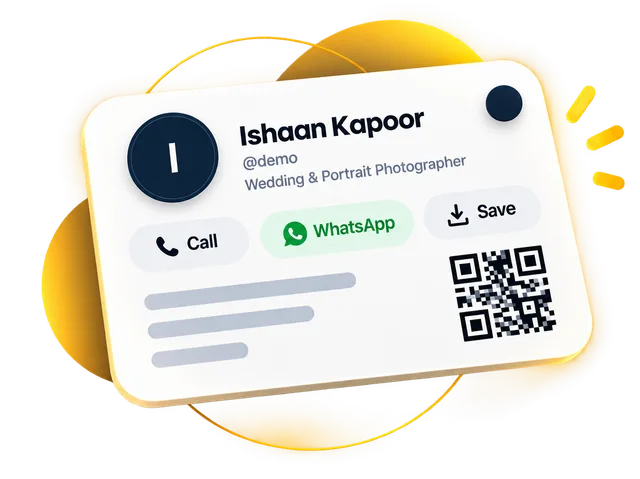
Sample card · fictional details
QHQuickFix Home Services
Electrical · Plumbing · AC
QuickFix
CallWhatsAppSaveDirections
About
Electrical · Plumbing · AC · QuickFix
Services
Electrical repairs
Plumbing work
AC service
Gallery
Send an enquiry
Your namePhone number Send enquiryScan to saveQuickFix Share
Follow
Paper vs digital
What changes for home service providers
Paper card
The sticker with your number peels off, and the customer calls whoever comes up online.
Digital card
Save Contact puts your name and number into their phonebook in one tap. Next time they search their contacts, not Google.
Save contactPaper card
Every enquiry starts with "kitna lagega?" and turns into a long call about rates.
Digital card
List your services with prices, such as visit charge or AC service. Customers see the rate first and message you about the job.
Services with pricesPaper card
A happy customer tells the society group about you, but a paper card cannot be forwarded.
Digital card
Your digitalcarda.in link forwards in one tap on WhatsApp, with a preview showing your name, so neighbours can save you too.
Short link & share menuChecklist
What to put on a visiting card for home service providers
Each item names the part of the card it lives on.
- Profile
"Electrician, Kothrud and Karve Nagar" tells a customer in one line whether you will come to them.
- Buttons
Put it on both the Call and WhatsApp buttons. Customers send a photo of the fault on WhatsApp before you visit.
- About
There is no separate timings section. Write "Sunday open, night calls for emergencies" in your About text.
- Services
Visit charge, AC service, geyser fitting: each with a price and a WhatsApp button, so rate questions answer themselves.
- Buttons
A "Write a Review" button opens your Google review page. Ask at the end of the job, while the fan is running again.
- QR code
Print your QR as a sticker and leave it at the job. The next time something trips, they scan it and call.
From hello to saved
How a customer reaches you
What happens after you share your card.
Sample card · fictional details
You send your link. After the job, share your card link in the WhatsApp chat.
It opens with a preview. The link shows your name and opens your card.
They tap WhatsApp. A service button opens a chat with "Electrical repairs" already typed.
You see what they tapped. Analytics shows opens, WhatsApp taps and where visitors came from.
Features that matter
What your card does for home service providers
| What you need | How your card does it | Plan |
|---|---|---|
| A customer with a burst pipe right now | One-tap call Customers call you with one tap from your card, with no number to type or misread. | All plans |
| A photo of the fault before you visit | WhatsApp chat One tap opens a WhatsApp chat with you. A service button can open the chat with "AC service" already typed in. | All plans |
| Rate questions answered before the call | Services with prices List services with photos, MRP and offer price, and a button to call or WhatsApp. Visit charge, fan fitting, AC service, each with its rate. | All plans |
| Reviews from customers who were happy | Google review button A "Write a Review" button that opens your Google review page. Show it right after the job, while the customer is pleased. | All plans |
| Being found again months later | Your own QR code Print your QR as a sticker for the meter box or the AC unit. The QR link stays the same when you redesign your card. | All plans |
| Getting paid on the spot | Payment QR Show your payment QR and your Paytm, PhonePe or Google Pay number so customers can scan or copy it. The money goes straight to you. | All plans |
Designs
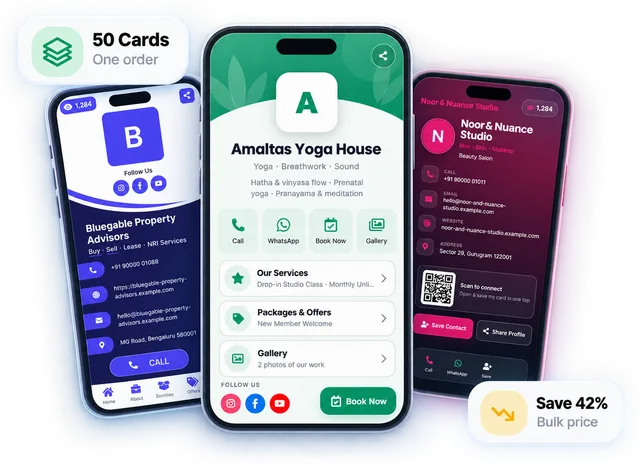
Designs shown with sample details for home service providers
Every design works for any business. Open a live demo, then start free on the one you like.
Share it everywhere
One link, handed over any way you like
A QR code, an NFC tap, a WhatsApp message or your email signature — change your details once and every copy is up to date.
Start free for 30 days, no payment details. Then Gold from ₹99/month or ₹999/year, or Platinum from ₹199/month or ₹1,999/year. Your link and QR stay the same when you upgrade.
FAQ
Questions home service providers ask
What should an electrician or plumber put on a visiting card?
Your name, your trade, the areas you cover, the mobile number you answer, your working days and a short list of services with rates. On a digital card, add a Call button, a WhatsApp button, your payment QR and a Google review button, and write the details in Hindi or any language you like.
Can customers call or WhatsApp me straight from the card?
Yes. The Call button dials your number in one tap, and the WhatsApp button opens a chat with you. Each service can have its own WhatsApp button that opens the chat with the service name already typed, so "AC service" arrives as the first message and you know what the job is before you reply.
How do I get more Google reviews from customers?
Add your Google review link to the card, and it becomes a "Write a Review" button that opens your review page. Ask every customer at the end of the job, when the fan is running and the leak has stopped: send the card link in the chat and say one line. Never pay or offer a discount for a review; that breaks Google's rules.
Can I write my card in Hindi?
Yes, write your name, services, About text and rates in Hindi or any language you like, and rename the section titles too. The buttons such as Call, WhatsApp and Save Contact stay in English. Many people search for an electrician visiting card Hindi template to print; a digital card lets you type it once and change it any time.
Can customers book a technician from the card?
Not with a calendar or time slots; the card has no booking system. Customers tap WhatsApp or the enquiry form and tell you the problem and when they are home, and you confirm the time in the chat. Enquiries from the form land in your Leads list with a follow-up date, which helps when three jobs come in on one evening.
How much does a digital visiting card for an electrician or plumber cost?
Free for 30 days with no payment details, and the QR is free to download, so you can print stickers for your van and the jobs you finish before paying anything. After that, Gold is ₹99 a month or ₹999 a year, and Platinum is ₹199 a month or ₹1,999 a year if you want a bigger gallery of finished work. Your link and QR stay the same when you upgrade, so the stickers you have already left at jobs keep working.
Read next
All guides Guides for home service providers

Google Review QR Code: How to Create One and Get More Reviews
A Google review QR code cuts leaving a review down to one scan. Here's how to create one free, where to place it, what to say and which rules to follow.
7 min read · 21 Aug 2026

QR Code Business Cards and vCards: How to Let People Save Your Number in One Tap
A QR code business card can hold your details inside the code (vCard QR) or open your digital card (link QR). Here's how they differ, which one to print, and how to make saving your number effortless.
6 min read · 26 July 2026
Getting started
How to Make a Digital Visiting Card Online in 10 Minutes (Step by Step)
How to make a digital visiting card online: keep a few details ready, follow six simple steps, and your card can be live in about ten minutes.
7 min read · 16 Sept 2026
More professions
All industries Related professions
Interior Designers & Architects
A project gallery, walkthrough videos, services and an enquiry form, sent as one link after the first meeting.
Car Dealers & Automobile Shops
Cars with photos and prices, WhatsApp for test drives, directions and an enquiry form, from your showroom QR.
Real Estate Agents & Property Dealers
Property photos and walkthrough videos, WhatsApp, directions and an enquiry form, with every lead in one list.
30-day free trial
Your digital visiting card, live today
Start free for 30 days, no payment details.
Your link and QR stay the same when you upgrade.