
For boutiques
Digital Visiting Card for Boutiques
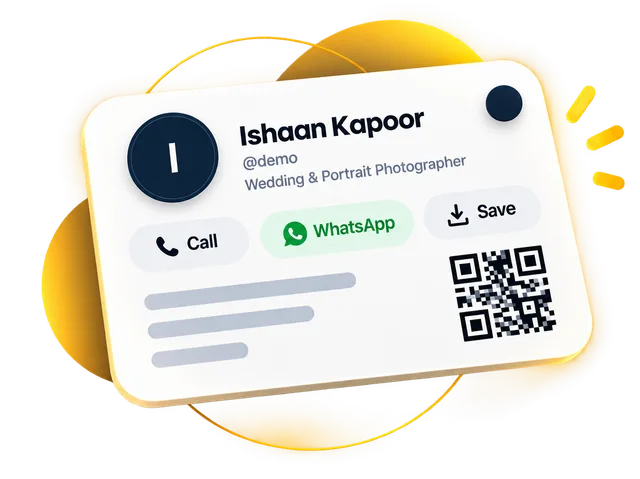
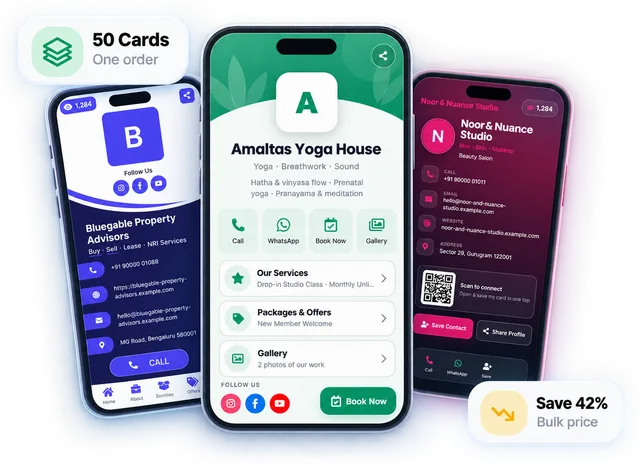
Quick answer: A digital visiting card for boutiques is one link with your shop name, address, new arrivals as photos and reels, and buttons to WhatsApp, call, get directions or save your number. Customers open it by scanning the QR at your billing counter or from a link you send, and follow your Instagram from the same page.
Start free for 30 days, no payment details. Your link and QR stay the same when you upgrade.
Updated · By the DigitalCarda team
Sample card · fictional details
ABAara Boutique
Ethnic & designer wear
Aara Boutique
CallWhatsAppSaveDirections
About
Ethnic & designer wear · Aara Boutique
Services
New arrivals
Custom stitching
Bridal wear
Gallery
Send an enquiry
Your namePhone number Send enquiryScan to saveAara Boutique Share
Follow
Paper vs digital
What changes for boutiques
Paper card
"New collection aaya?" And you forward the same twenty photos into every chat, one by one.
Digital card
Put new arrivals in a photo gallery that opens full screen. One link shows the whole rack: 20 photos on Gold, 60 on Platinum.
Photo galleryPaper card
A Diwali discount printed on your paper card is still walking in a month after it ended.
Digital card
Post an offer with a "valid till" date. It drops off your card by itself when it expires, so nobody argues at the counter.
Offers with end datesPaper card
A customer ordering on WhatsApp asks how to pay, and you hunt for a screenshot of your QR.
Digital card
Your card shows your payment QR and Paytm, PhonePe or Google Pay number. They scan or copy it; the money goes straight to you.
Payment QRChecklist
What to put on a visiting card for boutiques
Each item names the part of the card it lives on.
- Profile
Ethnic, western, kids or bridal: say it in one line, with a photo of the shop or you, so customers recognise you later.
- Buttons
Most boutique enquiries are a photo and "price?" on WhatsApp. Put that number on the WhatsApp and Call buttons.
- Buttons
Customers tap the address for directions, so name the market, the floor and the shop next door.
- About
There is no separate timings section. Write them in your About text and edit it when festive hours change.
- Gallery
Fresh stock in one place, full screen. Swap the photos as the rack changes; the link stays the same.
- Services
Each service gets a photo, a price and a WhatsApp button that opens a chat with the service name typed in.
- Socials
One tap from the card, so a customer follows you before she leaves the shop instead of searching later.
- QR code
Customers scan it while the bill is made, save your number and see the gallery. No app needed.
From hello to saved
How a customer reaches you
What happens after you share your card.
Sample card · fictional details
A customer scans your QR. The standee at your billing counter opens your card in the phone's camera. No app needed.
Your card opens. Name, services and buttons to call, WhatsApp or get directions.
Your number is saved. Save Contact adds Aara Boutique to their phonebook in one tap.
Their enquiry reaches you. It lands in your Leads list, ready to follow up.
Features that matter
What your card does for boutiques
| What you need | How your card does it | Plan |
|---|---|---|
| New arrivals without forwarding photos | Photo gallery Put the fresh stock in a gallery that opens full screen: 20 photos on Gold, 60 on Platinum. Swap photos as the rack changes. | All plans |
| Reels that show the fall of a saree | Videos & reels Add Instagram Reels, YouTube videos and Shorts that play on your card, so a customer sees the drape, not just a flat photo. | All plans |
| Festive discounts that end on a date | Offers with end dates Post an offer with a "valid till" date. It drops off your card by itself when it expires. | All plans |
| Customers following you on Instagram | Social links Link Instagram, Facebook, YouTube and more. One tap from the card, so they follow you before they leave the shop. | All plans |
| "Is this available in my size?" | WhatsApp chat One tap opens a WhatsApp chat with you. A service button can open it with "Custom stitching" already typed in. | All plans |
| Payment for a WhatsApp order | Payment QR Show your payment QR and your Paytm, PhonePe or Google Pay number so customers scan or copy it. The money goes straight to you. | All plans |
Designs
Designs shown with sample details for boutiques
Every design works for any business. Open a live demo, then start free on the one you like.
Share it everywhere
One link, handed over any way you like
A QR code, an NFC tap, a WhatsApp message or your email signature — change your details once and every copy is up to date.
Start free for 30 days, no payment details. Then Gold from ₹99/month or ₹999/year, or Platinum from ₹199/month or ₹1,999/year. Your link and QR stay the same when you upgrade.
FAQ
Questions boutiques ask
What should I write on a boutique visiting card?
Write your boutique's name, what you sell, the WhatsApp number you reply from, your shop address with a landmark, and your timings in the About text. Add your Instagram. On a digital card, also add new arrivals as a photo gallery, a reel or two, services such as custom stitching with prices, and your payment QR.
How do I share new arrivals with customers on WhatsApp?
Send your card link once, and update the gallery whenever new stock comes in. The same link shows the latest photos, with a proper preview when it is pasted, so you stop forwarding twenty photos into every chat. A customer who likes a piece taps WhatsApp on the card and asks about it. Our free WhatsApp message templates include ready-to-copy messages with your card link.
Can I add Instagram reels to my card?
Yes. Paste the link of a reel and it plays on your card, along with YouTube videos and Shorts if you have them: 8 videos on Gold, 25 on Platinum. Reels show the fall of a saree or the flare of a lehenga better than a flat photo, so put your best ones on the card and change them as the collection changes.
Can customers order or pay online from the card?
No. There is no cart or checkout on the card. A customer taps WhatsApp to ask for a piece, and you confirm the size, price and delivery in the chat, the way you already do. To pay, she scans the payment QR on your card or copies your Paytm, PhonePe or Google Pay number. The money goes straight to you.
What goes at my billing counter?
A printed QR standee, or an NFC standee. Your QR comes as PNG or SVG in your colours, with a printable counter standee, and it keeps working when you redesign your card. An NFC standee is a one-time ₹1,499: customers tap their phone on it or scan it to open your card. Either way they save your number while the bill is made.
How much does a digital visiting card for a boutique cost?
The card is free for 30 days with no payment details, and your QR is free to download and print for the counter. After the trial, Gold is ₹99 a month or ₹999 a year, and Platinum is ₹199 a month or ₹1,999 a year with a 60-photo gallery for more new arrivals. If you want customers to tap rather than scan, an NFC standee for the billing counter is a one-time ₹1,499. Your link and QR stay the same when you upgrade, so the standee keeps working.
Read next
All guides Guides for boutiques

Link in Bio vs Digital Business Card: Which Does Your Business Actually Need?
Link in bio vs digital business card: both are one link with buttons, but one is built for followers and the other for customers. Here's how to choose.
5 min read · 19 June 2026

Google Review QR Code: How to Create One and Get More Reviews
A Google review QR code cuts leaving a review down to one scan. Here's how to create one free, where to place it, what to say and which rules to follow.
7 min read · 21 Aug 2026

Visiting Card Design Ideas That Get You Remembered — and Called
Good visiting card design isn't about fancy fonts. It's about a stranger knowing who you are and how to reach you in five seconds. Twelve ideas that make that happen.
6 min read · 13 July 2026
More professions
All industries Related professions
Jewellers & Jewellery Shops
Collections as a full-screen gallery and reels, festival offers and directions, from a QR at your counter.
Makeup Artists
Your bridal portfolio, reels, packages with prices and an enquiry form in one link sent after the first chat.
Beauty Parlours & Salons
Your price list, offers, photos, WhatsApp and a Google review button, opened from a standee at the front desk.
30-day free trial
Your digital visiting card, live today
Start free for 30 days, no payment details.
Your link and QR stay the same when you upgrade.